A Janoshik report only counts once you have checked it against the laboratory’s own copy, and that takes about a minute. Until then, it is a PDF someone sent you, and a PDF can be edited by anyone with the right software. That is the whole reason researchers should know how to verify a Janoshik test report.
The laboratory itself says the problem is routine. In November 2026, a Janoshik spokesperson told ABC News the company receives up to five reports a day where “a test document has been altered or incorrectly used by a business that did not commission it.”
This guide covers the steps, what a match does and does not prove, and the signs that a report has been edited.
Quick Answer
To verify a Janoshik report, open janoshik.com/verification/, enter the task number from the top of the report and the unique key from the bottom (in capitals), or scan the QR code. Then open the stored report and check that it matches the vendor’s copy line by line.
What Is a Janoshik Test Report?
It is an independent laboratory result for one submitted sample. Janoshik Analytical tests material sent to it by a client, measures what was ordered, and issues a report in its own name that anyone holding the right two codes can look up.
Janoshik Analytical trades as Janoshik s.r.o., a Czech-registered company that invoices in Czech koruna, and it describes itself as an independent testing laboratory with over ten years of experience in chemical analysis. Its help centre states the independence plainly: asked whether it can recommend a supplier, the laboratory answers, “No. We do not recommend or comment on specific manufacturers or vendors.”
A typical report lists a task number, the sample name and size, the manufacturer, the batch, three dates, the tests requested, a results table, a signature and a unique key. Some carry extras such as an endotoxin figure. That is narrower than a full pharmaceutical certificate of analysis, which would also cover appearance, water content, residual solvents, and storage conditions. A full certificate of analysis has more fields than this, and Antiet’s COA index carries every batch report beside the product it covers.
How to Verify a Janoshik Report, Step by Step
Five steps, start to finish, using nothing but the document in front of you.
Step 1: Find the task number and unique key
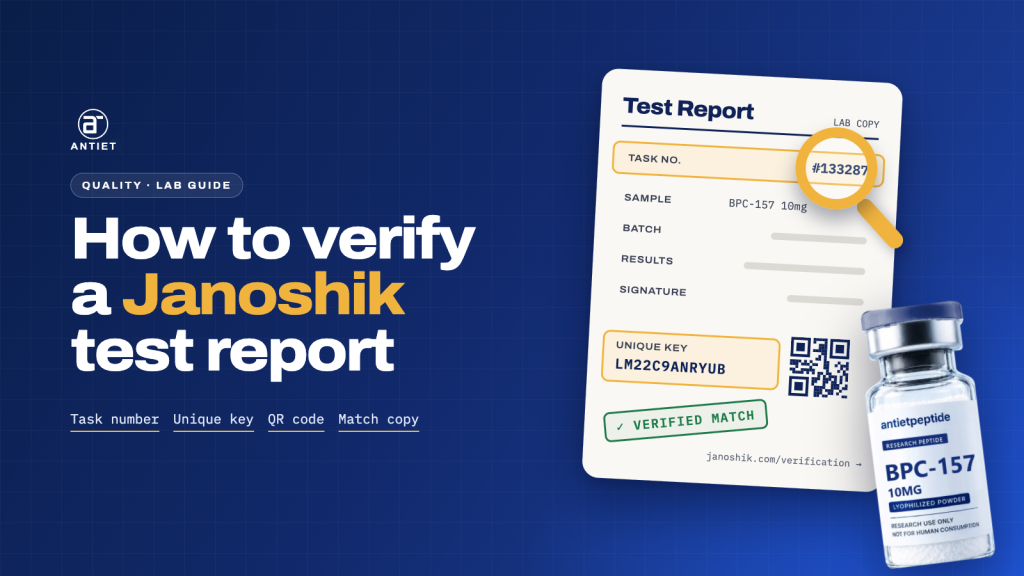
Two codes make a report checkable, and they live at opposite ends of the page. The task number is at the top, printed after a hash, as in #133287. The unique key is at the bottom, under the line “Verify this test at www.janoshik.com/verify/ with the following unique key”. Across the Antiet reports, the keys run to twelve characters, letters and digits mixed, as in LM22C9ANRYUB.
The two are easy to confuse, and that confusion is the most common question in peptide communities. A thread on r/PeptidePathways with more than eighty replies turns on the same point: the task number and the verification key are different things, and a report needs both to be checkable.
If either code is absent, stop. Janoshik states that without both identifiers the report cannot be verified at all, and recommends asking the vendor for the full version.
Step 2: Enter both on Janoshik’s verification page
Type janoshik.com/verification into your browser yourself. Avoid clicking a link inside the PDF you were sent, because a link in a document someone else controls can go anywhere. The same page is reachable from the Verify item in the laboratory’s own menu.
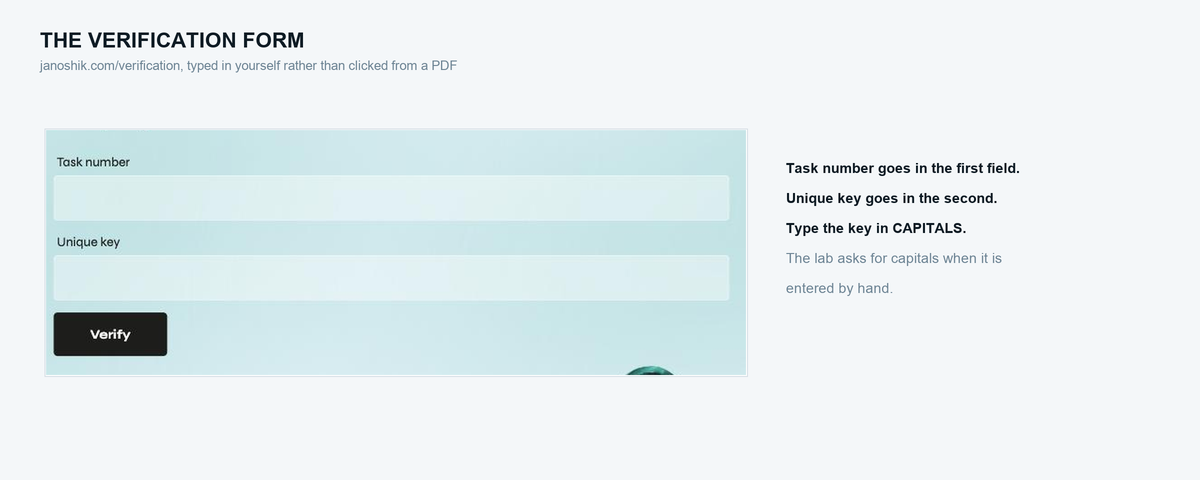
Janoshik verification form
Enter the task number in the first field and the key in the second, in capitals. The laboratory makes a point of this: when entering the key manually, use capital letters. The stored reports live on a separate address, verify.janoshik.com, which the lookup sends you to once a record is found.
Step 3: Or scan the QR code
Every report carries a QR code beside the results table, and scanning it reaches the same record without any typing.
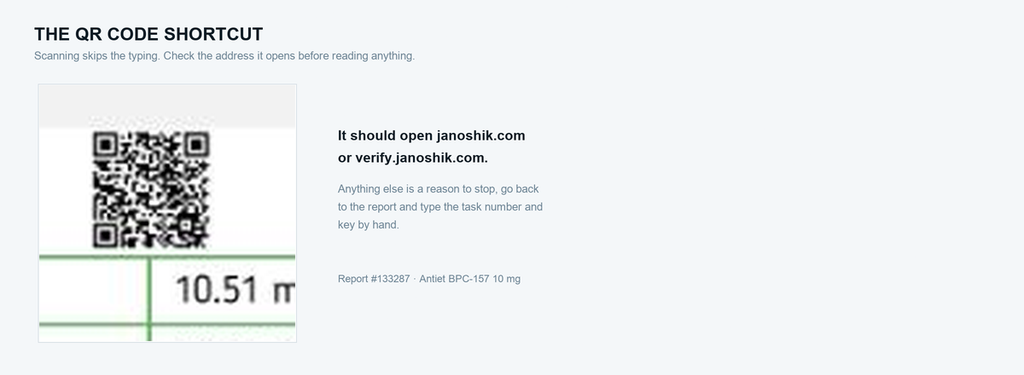
QR code area on a Janoshik report
Check the address your phone opens before you read what it shows. It should be on janoshik.com or verify.janoshik.com, and anything else is a reason to go back and type the codes by hand.
Step 4: Open the stored report
A record in the database returns a short confirmation: this test is in our database, and you can open the report and check if the data matches your report.
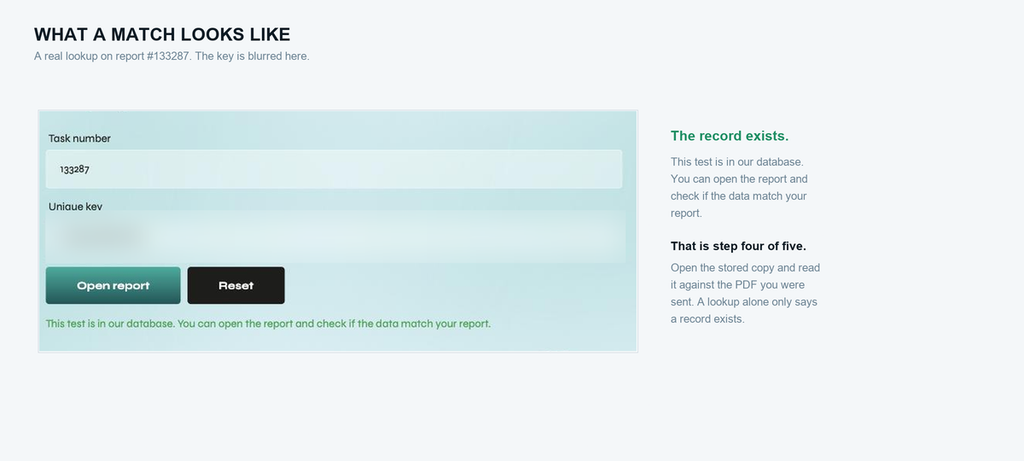
Verification success screen for report
An “Open report” button appears beside a Reset button. Click through and the laboratory’s own copy loads, including the photograph of the vial as it arrived.
Step 5: Compare it line by line
This is the step people skip, and it is the one doing the work. A successful lookup tells you a record exists. Reading the two documents against each other tells you whether the PDF in your hand is that record. Janoshik is blunt about the standard: “A report is considered legitimate only if it matches the version stored in our system.”
What to Compare Between the Two Copies
Seven fields, each of which should be identical across the two documents, with your vial label as the third reference point.
| Field | Must match | Red flag |
| Task number | Exactly | A different number, or one number reused across products |
| Sample or compound name | Exactly | A different peptide from the one you bought |
| Amount in mg or IU | Exactly | Rounded, tidied or changed |
| Purity % | Exactly | Raised decimals, or a figure where the stored copy shows a band |
| Tests requested | The same tests | A test claimed in the vendor’s copy that the stored one never ran |
| Dates | The same | A report dated before the batch existed |
| Batch or lot | Your vial label | Missing, or different from the box |
Work down the list with both documents open side by side. Any single mismatch is enough to stop and ask the supplier, since a discrepancy with an innocent explanation is easy for them to give, and one without is not.
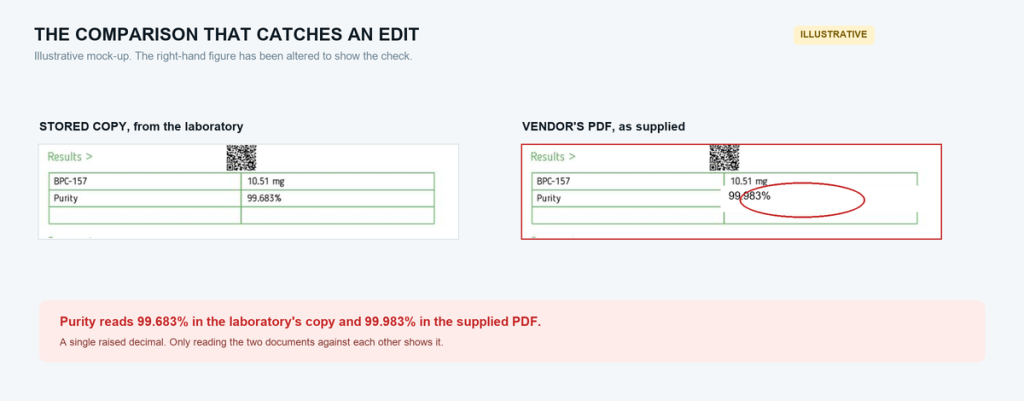
Vendor copy and stored copy side by side with a changed purity figure
What a Verified Report Proves and What It Does Not
A successful check proves two things: the report exists in Janoshik’s system, and the copy you were sent has not been altered. That is worth having, and it is narrower than it first appears.
It does not prove your vial came from the tested sample. The laboratory analysed what arrived in its post, and nothing in the record connects that sample to the box on your bench beyond the batch number written on both.
It does not establish that the header fields are accurate. Client name, sample name, manufacturer, and batch are entered by whoever ordered the test on their confirmation page, with the client name defaulting to “Anonymous”. The results are measured by the laboratory; the labels around them are declared by the customer.
And it says nothing about later batches. One report covers one production run in one size, so a verified document from March tells you nothing about material made in September.
The practical move is to match the batch number and the analysis date on the report against the vial in front of you. Where those line up and the report verifies, you have about as much as a document can give you.
Red Flags of an Edited or Reused Report
Most fake reports are real reports with something changed. Each of these has a tell you can check in seconds.
- Edited numbers: Purity decimals or milligram figures that differ from the stored copy. Comparing the two documents is the only way to see it.
- One report across several batches or sellers: Search the task number. A single record standing behind multiple products describes one sample, whatever it is attached to.
- Fonts or spacing that change partway through: A line nudged off the baseline, or a figure in a different weight from its neighbours.
- Key or QR code cropped out: The crop removes exactly what you would use to check it. The ABC investigation found reports where “report numbers had been removed or hidden”.
- Only a screenshot shared: An image cannot be verified, and the reason for sending one rather than the file is worth asking about.
- Lot number that does not match your vial: The report covers a different production run.
- Links in a PDF that do not reach janoshik.com: Hover before clicking, and type the address yourself instead.
A report that fails any of these is not necessarily fraudulent. It is unverifiable, which for your purposes amounts to the same thing.
What If a Vendor Will Not Share the Key?
Treat it as unanswered. A report you cannot verify is a claim rather than evidence, however impressive the figures on it look.
Ask for the complete report including both codes, or ask which laboratory tested the batch and go to that laboratory directly. A supplier that tests its batches can produce the document; a supplier that cannot produce it is telling you something.
Janoshik also publishes a searchable list of reports at public.janoshik.com, though it covers only the reports clients have chosen to make public, so absence from it means nothing. The page carries its own notice: “We do not endorse, sponsor, or have any affiliation with any of the companies, organizations, or products listed.”
How to Verify a COA From Another Lab
The method generalises, because any laboratory worth citing will let you check its own work. Three questions, in order.
Does the laboratory publish a lookup? Find its verification page on its own domain and use the report ID printed on the document. Where no lookup exists, email the laboratory with the report number and ask whether it issued that document.
Does the laboratory exist independently of the vendor? A named company with its own site, its own contact details and its own catalogue of tests is checkable. A logo on a PDF is not.
What does it actually claim? Accreditation and independence are different things. Where a laboratory claims ISO/IEC 17025, the claim comes with a named accreditation body and a defined scope, and the body’s public register is where you confirm it.
This is general guidance rather than a rule, since laboratories differ in what they publish. How to read a certificate of analysis takes the document field by field, and HPLC vs mass spectrometry separates which test produces which number.
Try It on Our Reports
Every report on Antiet’s COA index links through to Janoshik’s own copy, so the steps above can be run on real documents rather than a worked example. All five were analysed in May 2026.
- Retatrutide 20 mg, task #133283. Blind GLP-1 test covering identity, amount and purity.
- HGH (Somatropin) 24 IU, task #133284 for amount and purity, plus task #133285 for endotoxin on the same batch.
- GHK-Cu 100 mg, task #133286, reporting the peptide and the copper separately.
- BPC-157 10 mg, task #133287.
- Tesamorelin 20 mg, task #133288, with a comment noting the sample was tested twice.
Take any one of them, open the report, and run the five steps. Each batch goes through the same testing and COA routine, run by the laboratories named there.
Frequently Asked Questions
Is Janoshik a legit testing company?
Janoshik Analytical is an independent analytical laboratory trading as Janoshik s.r.o., a Czech-registered company, which says it has over ten years of experience in chemical analysis. It declines to recommend or comment on specific vendors. We use it and link its reports; that is a statement of what we do, not an endorsement you should take on trust.
Is Janoshik ISO 17025 accredited?
Janoshik publishes no ISO/IEC 17025 claim on its About page or anywhere in its help centre, so we make no claim on its behalf. Accreditation and independence are separate questions. Any laboratory that has it will say which body assessed it and for which methods, and that body’s register is the place to check.
How much does Janoshik testing cost in the USA?
Prices are published per test in US dollars and are the same wherever you ship from. A BPC-157 analysis is $215, GHK-Cu or tesamorelin $290, an HGH or blind GLP-1 test $360, endotoxin $180, and heavy metals $145. Raw data adds $25. Checked 14 November 2026.
What does Janoshik test for?
Its catalogue covers research peptides, anabolic steroids, SARMs, SERMs and sexual-health compounds, plus a harm-reduction group covering endotoxin, heavy metals screening, sterility testing and screening for contamination. Peptide analyses report amount and purity, and some, such as the blind GLP-1 test, also establish identity.
How long does Janoshik testing take?
The laboratory states that its current average turnaround for routine analyses is less than two days after it receives the sample. Sterility testing by TAMC and TYMC takes at least two weeks and cannot be rushed. A RUSH option exists for eligible analyses. Shipping time to the laboratory is on top.
What is the unique key on a Janoshik report?
It is the code printed at the bottom of the report, under the line pointing to the verification page, and it opens the laboratory’s stored copy. On the Antiet reports, it runs to twelve mixed letters and digits. Enter it in capitals, since the laboratory asks for capitals when it is typed manually.
Why does the verification page say a report is not found?
Usually a typo, a key entered in lowercase, or the wrong task number, so retype both before concluding anything. Beyond that, the record may never have existed, or the document may have been altered. Janoshik’s advice is that a report you cannot verify was likely issued for a different company.
Does a verified report mean my vial was tested?
No. It proves the report is genuine and unedited. The laboratory tested the sample it was sent, which is not necessarily the vial on your bench. Match the batch number on the report against the batch printed on your box, and check the analysis date before you read the result as describing your material.
All Antiet products are for laboratory research use only. Not for human or veterinary use. Antiet’s Terms of Sale carry the full terms.
This article is for general laboratory information only. Antiet products are sold strictly for research use and are not for human or veterinary use.